

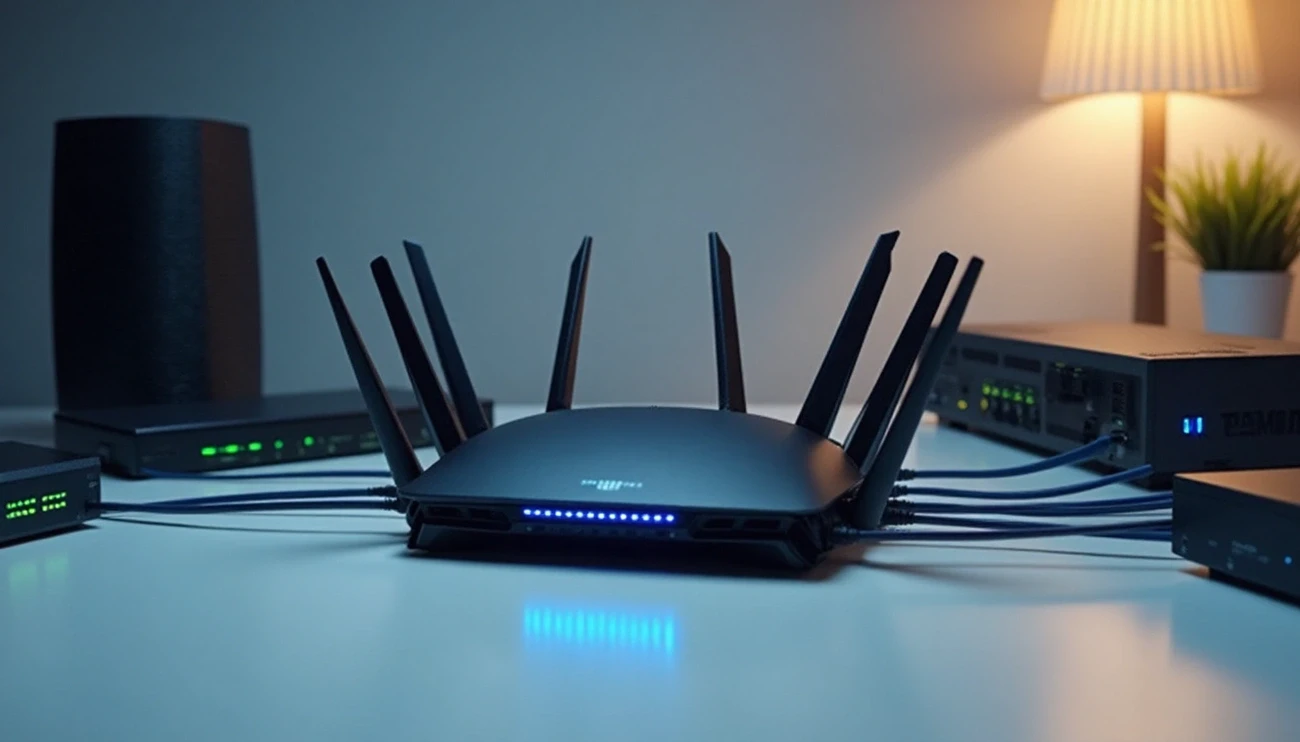
Network hardware devices form the backbone of every internet connection you rely on daily, yet most people couldn’t identify these essential components if they saw them. Whether you’re troubleshooting connection issues at home or trying to understand basic IT infrastructure, the world of networking hardware often seems unnecessarily complicated.
Thank you for reading this post, don't forget to subscribe!In fact, understanding computer components like routers, switches, and modems doesn’t require an engineering degree. These network devices enable all digital communication but operate on surprisingly simple principles. Fortunately, this guide breaks down each piece of hardware into clear, practical explanations that actually make sense—no technical jargon or confusing diagrams required. By the end, you’ll understand not just what these devices are, but how they work together to keep you connected.
Understanding Network Hardware Devices
In modern computing, network hardware devices serve as the physical foundation of all digital communications. These specialized pieces of equipment enable the exchange of data between computers, servers, and other internet-connected systems that power our digital world.
What is a network hardware device?
Network hardware devices are physical components designed specifically for communication and interaction between devices on a computer network 1. These specialized pieces of equipment mediate data transmission, connecting everything from personal computers to enterprise-level servers. Unlike standard computer components, network hardware is built with the primary purpose of facilitating network connectivity and data transfer.
The definition extends to “physical devices that allow hardware on a computer network to communicate and interact with each other” 2. They function as critical intermediaries, managing and directing data flow throughout a network system. Each device plays a unique role in ensuring information reaches its intended destination efficiently and securely.
These physical components form the building blocks of any network infrastructure 3. From small home networks to massive enterprise systems, network hardware provides the essential framework for all digital communications. Without these devices, the internet as we know it simply couldn’t function.
Most networks utilize several types of hardware working in concert. Common examples include:
- Routers that connect and direct traffic between different networks
- Switches that intelligently forward data to specific devices
- Modems that translate signals between different network types
- Network interface cards (NICs) that connect individual computers to networks
- Access points that enable wireless connectivity
Together, these devices create the physical pathways through which all digital information travels, forming complete network ecosystems that support our connected world.
Why are they essential in modern networks?
Network hardware devices have become indispensable because they establish effective modes of communication, thereby improving business standards and operations 4. They serve as the backbone of all network infrastructure, enabling everything from basic file sharing to complex cloud computing systems.
First and foremost, these devices significantly enhance communication efficiency. By intelligently managing data traffic, network hardware ensures faster and more reliable information exchange between connected systems. This optimization creates smoother workflows and reduces frustrating delays that can hamper productivity.
Furthermore, modern network hardware plays a crucial role in security. Devices like firewalls “monitor incoming and outgoing network traffic and protect against unauthorized access and cyber threats” 3. This safeguarding of data integrity has become increasingly vital as digital threats continue to evolve and multiply.
Additionally, network hardware enables resource sharing across organizations. Rather than providing individual printers, storage systems, or internet connections for every user, networks allow these resources to be shared efficiently. This approach promotes “multiprocessing and enables sharing of resources, information, and software with ease” 4.
Perhaps most importantly, network hardware provides the scalability businesses need to grow. As organizations expand, their network infrastructure must adapt accordingly. Quality network hardware “can be upgraded or added to accommodate new users and devices without compromising performance” 3. This flexibility ensures networks can evolve alongside changing business requirements.
Network hardware also enables remote access capabilities, allowing employees to connect to company resources from anywhere. This functionality has become particularly valuable as remote work continues to increase in popularity.
Beyond business applications, network hardware supports the explosive growth of Internet of Things (IoT) devices. As our homes and cities become increasingly connected, the physical infrastructure provided by network hardware becomes even more essential for managing these complex systems.
The combination of these benefits makes network hardware not merely helpful but absolutely essential for modern digital operations. Without these physical components working together seamlessly, our connected world would quickly grind to a halt.
Core Types of Network Hardware Devices
Every functional network relies on six core hardware devices that handle specific communication tasks. Understanding these distinct components helps clarify how data moves from one point to another in any network environment.
Router
A router serves as the central junction that connects multiple networks together and directs network traffic. Operating at Layer 3 (Network) of the OSI model, routers work with IP addresses to determine the optimal path for data transmission. Essentially, a router examines data packets, reads their destination information, and forwards them along the best available route.
Unlike simpler devices, routers create routing tables to track potential paths, calculate the most efficient routes, and prioritize certain types of data traffic. They connect your business to the internet while simultaneously protecting information from security threats through built-in firewalls and content filtering capabilities.
Routers come in several varieties including core routers (used by service providers for maximum bandwidth), edge routers (connecting networks to external systems), and wireless routers (combining routing with wireless connectivity).
Switch
Switches connect devices within a network and ensure data packets reach their specific destinations efficiently. Working at Layer 2 (Data Link) of the OSI model, a switch uses MAC addresses to send data exclusively to the intended device rather than broadcasting to all connected equipment.
Moreover, switches maintain MAC address tables to track which devices connect to each port. When receiving data packets, the switch examines the destination MAC address in the frame header and forwards it only through the appropriate port—dramatically reducing network congestion compared to older technologies.
Modern switches offer full-duplex communication, allowing devices to simultaneously send and receive data at full bandwidth. Many switches now include advanced features like VLAN support that can segment a single physical network into multiple logical networks.
Hub
A hub represents the simplest form of these network connection devices. Functioning at Layer 1 (Physical) of the OSI model, hubs are essentially multiport repeaters that connect multiple Ethernet devices together.
However, hubs differ fundamentally from switches in their data handling approach. When a hub receives information, it indiscriminately broadcasts that data to all connected devices—regardless of the intended recipient. This inefficient approach leads to increased network collisions and reduced performance as the number of connected devices grows.
Hubs typically operate in half-duplex mode, meaning they cannot send and receive data simultaneously. This limitation further decreases network efficiency, which explains why switches have largely replaced hubs in modern networks.
Modem
The term “modem” derives from “modulating-demodulating”—precisely describing its primary function. Modems convert digital signals from computers into analog signals that can travel over traditional telephone or cable lines, then convert incoming analog signals back to digital format.
Fundamentally different from other network devices, modems bridge the gap between your local network and your Internet Service Provider. Without modems, your router would have no way to communicate with the broader internet. While routers direct traffic within and between networks, modems handle the translation required for data to travel beyond your local network.
Access Point
Wireless access points (WAPs) allow wireless-capable devices to connect to wired networks. They serve as bridges that convert signals between wireless and wired formats, enabling devices to connect without physical cables.
Access points primarily operate by receiving signals from wireless devices and transmitting them to the wired network. They can be configured in various modes including root access points (connected directly to wired LANs), repeaters (extending signal range), or bridges (joining multiple networks).
Modern access points support various Wi-Fi standards from 802.11a through the latest Wi-Fi 7 (802.11be), with each generation offering improved speed and performance.
Network Interface Card (NIC)
Network Interface Cards provide the physical connection between computers and networks. Every network-connected device requires a NIC to communicate with other equipment. Operating at both the physical and data link layers of the OSI model, NICs handle the transmission and reception of data packets.
Each NIC contains a unique MAC address that identifies the device on the network. Modern computers typically have NICs integrated directly into their motherboards, though expansion cards are available for adding additional connections.
NICs come in various types including wired, wireless, fiber optic, and USB varieties. More advanced NICs include features like interrupt support and direct memory access (DMA) that improve system performance by reducing CPU load during data transfers.
Supporting Devices and Their Roles
Beyond the core components, several specialized network hardware devices play crucial supporting roles in maintaining secure, efficient, and reliable network operations.
Firewall
Firewalls serve as critical security barriers between private networks and the public internet. Operating as gatekeepers, they monitor and filter incoming and outgoing network traffic based on predetermined security policies. Since the late 1980s, firewalls have evolved from simple packet filters to sophisticated security systems that protect networks from unauthorized access and cyber threats.
Modern next-generation firewalls (NGFWs) include advanced features such as deep packet inspection, intrusion prevention, and malware defense. These security devices can exist as hardware appliances, software programs, or cloud-based services, providing organizations with flexible deployment options according to their specific needs.
Repeater
As signals travel through communication channels, they progressively degrade due to power loss. Repeaters address this challenge by receiving weakened signals, amplifying them, and retransmitting them at full strength. This process effectively extends network range and maintains signal integrity over longer distances.
Operating at the physical layer (Layer 1) of the OSI model, repeaters don’t interpret data—they simply regenerate the physical signal. This makes them especially valuable in environments where cable length limitations would otherwise restrict network coverage.
Bridge
Network bridges connect and filter traffic between two or more network segments, creating a single aggregate network. Unlike routers that keep networks separate while enabling communication between them, bridges make multiple networks function as one unified network.
Working at the data link layer (Layer 2), bridges use MAC addresses to determine whether to forward or filter frames. They maintain forwarding tables that track which devices connect to each segment, sending data only to the appropriate destination rather than broadcasting to all connected devices.
Gateway
Network gateways connect networks that use different protocols or data formats, performing necessary translations to enable seamless communication. They typically operate at the network layer of the OSI model but can function at any layer depending on requirements.
Gateways serve various specialized purposes including VoIP translation, IoT connectivity, cloud storage access, and cellular data integration. As networks grow increasingly diverse, gateways provide essential connectivity between disparate systems that wouldn’t otherwise be able to communicate effectively.
Load Balancer
Load balancers distribute network traffic intelligently across multiple servers, optimizing resource utilization and preventing any single server from becoming overwhelmed. By balancing workloads, these devices improve application availability, scalability, security, and performance.
Alongside their primary traffic distribution function, load balancers perform health checks on servers, automatically redirecting requests away from failing resources. This capability increases fault tolerance and helps maintain consistent service quality even during partial system failures or maintenance activities.
Software That Powers Network Hardware
While physical components provide the foundation, intelligent software systems breathe life into network hardware devices. This critical software layer enables equipment to communicate, share resources, and maintain secure connections across networks of any size.
Network Operating Systems (NOS)
Network Operating Systems serve as specialized software designed to coordinate multiple computers across a network. Unlike regular operating systems, a NOS allows devices to communicate and share resources effectively 5. They come in two primary types:
- Peer-to-peer (P2P) systems that let users share resources saved in accessible locations, ideal for small to medium LANs
- Client-server models that provide unified access through a central file server, offering better control despite higher setup costs 5
Popular NOS options include Microsoft Windows Server (the most widely used), Unix OS, Cisco Internetwork OS (IOS), and Juniper’s Junos OS 5. These systems provide essential network features like protocol support, file sharing, security capabilities, and internetworking functions.
Common network protocols
Network protocols establish standardized rules for communication between devices. These digital “languages” enable seamless data exchange across the internet 6. Key protocols include:
- DNS (Domain Name System) – Functions as the internet’s phone directory, translating domain names into IP addresses 6
- HTTP/HTTPS – Transfers webpages between servers and browsers 6
- DHCP – Automatically assigns IP addresses to network endpoints 6
- SMTP – Controls how email clients send messages 6
- SNMP – Monitors and manages network devices 6
Each protocol performs specific functions at different OSI model layers, collectively enabling the reliable transfer of information throughout networks.
Network management tools
Network management tools provide essential software solutions for monitoring, troubleshooting, and optimizing network performance. These tools help organizations prevent costly disruptions, as downtime costs Global 2000 companies an estimated $400 billion annually 7.
Effective management solutions typically follow the FCAPS framework (Fault, Configuration, Accounting, Performance, Security) 7. Modern tools offer features like real-time dashboards, automated device discovery, network mapping, and remote management capabilities 8. They range from open-source solutions to comprehensive enterprise platforms available in both on-premises and cloud-based deployments 9.
Common Issues and How to Avoid Them
Even the most robust network infrastructure encounters occasional problems. Effective troubleshooting skills can prevent costly downtime that impacts Global 2000 companies by an estimated $400 billion annually.
Connectivity problems
Connectivity issues typically manifest as slow speeds, intermittent connections, or complete network failure. Initially, check the most obvious culprits:
- Verify physical connections and cable integrity
- Restart network devices (modem, router, switches)
- Confirm proper IP configuration and DNS settings
- Use diagnostic tools like ping, tracert, or network troubleshooters
For wireless connectivity problems, interference often plays a significant role. Microwaves, cordless phones, and other electronic devices can disrupt signals. Subsequently, repositioning your router to a central, unobstructed location frequently resolves these issues.
IP address conflicts represent another common problem. When two devices accidentally share the same IP address, neither can reliably access the network. Implementing proper DHCP configuration or assigning static IPs carefully prevents this scenario.
Overheating and ventilation
Network switches frequently overheat due to poor placement. In many data centers, switches installed at rack tops absorb rising heat from servers below. Enterprise-class switches typically tolerate temperatures up to 113°F (45°C), but as they approach this threshold, they begin dropping packets and experiencing performance degradation.
Proper ventilation remains crucial for preventing overheating. In-rack cooling systems deliver chilled air directly to equipment while removing hot exhaust air through heat exchangers. This targeted approach maintains optimal temperatures throughout the rack.
Additionally, regular cleaning prevents dust accumulation that restricts airflow. Dust-clogged vents and fans significantly contribute to overheating risks while reducing equipment lifespan.
Power supply fluctuations
Power issues commonly disrupt network operations. Uninterruptible Power Supply (UPS) systems provide essential protection by:
- Delivering temporary backup power during outages
- Protecting against damaging power surges
- Regulating voltage fluctuations
Furthermore, high-quality UPS systems include Automatic Voltage Regulation (AVR) that stabilizes inconsistent power, ensuring network devices receive reliable electricity regardless of utility fluctuations.
Firmware and software updates
Outdated firmware creates significant security vulnerabilities. Manufacturers regularly release updates that patch potential exploitation points, fix bugs, and improve performance. Nevertheless, updating requires careful planning.
Best practices include scheduling updates during off-peak hours, testing in controlled environments first, and always backing up device configurations beforehand. Furthermore, download updates exclusively from manufacturer websites to avoid malicious software.
Importantly, document all firmware changes for auditing and troubleshooting purposes. This record-keeping facilitates faster problem resolution when issues arise following updates.
Conclusion
Network hardware devices clearly form the backbone of our digital world. Throughout this guide, we’ve examined the essential components that enable everything from simple home connections to complex enterprise systems. Accordingly, understanding these devices provides valuable knowledge for troubleshooting issues and optimizing network performance.
The core components—routers, switches, modems, access points, hubs, and NICs—work together seamlessly to direct data traffic. Additionally, supporting devices like firewalls, repeaters, and load balancers enhance security, extend range, and distribute workloads effectively. Software systems power this hardware infrastructure through network operating systems and standardized protocols that establish communication rules.
Many common network issues stem from preventable problems. Simple steps such as proper ventilation, stable power supplies, and regular firmware updates significantly reduce downtime risks. Though networking might initially seem complex, the fundamental principles remain surprisingly straightforward.
Knowledge of network hardware proves increasingly valuable as our reliance on digital connections grows. Whether setting up a home network or managing enterprise infrastructure, familiarity with these components empowers users to make informed decisions. The next time you connect to WiFi or troubleshoot a connection problem, you’ll recognize the sophisticated yet logical systems working behind the scenes.
Remember that effective networks don’t require expensive equipment—they need thoughtful implementation based on solid understanding. This foundation ensures reliable connectivity regardless of network scale. Armed with this knowledge, you can approach networking challenges with confidence rather than confusion.
References
[1] – https://en.wikipedia.org/wiki/Networking_hardware
[2] – https://www.geeksforgeeks.org/network-devices-hub-repeater-bridge-switch-router-gateways/
[3] – https://www.supermicro.com/en/glossary/network-hardware
[4] – https://www.spiceworks.com/tech/networking/articles/what-is-network-hardware/
[5] – https://www.techtarget.com/searchnetworking/definition/network-operating-system
[6] – https://www.techtarget.com/searchnetworking/feature/12-common-network-protocols-and-their-functions-explained
[7] – https://www.splunk.com/en_us/blog/learn/network-management.html
[8] – https://blog.domotz.com/product-bytes/what-is-a-network-management-tool/
[9] – https://www.dnsstuff.com/network-management